Master Thesis Project
Designing voice user interfaces with emotional intelligence, Anhalt University of Sciences, Integrated Design graduation project.Overview
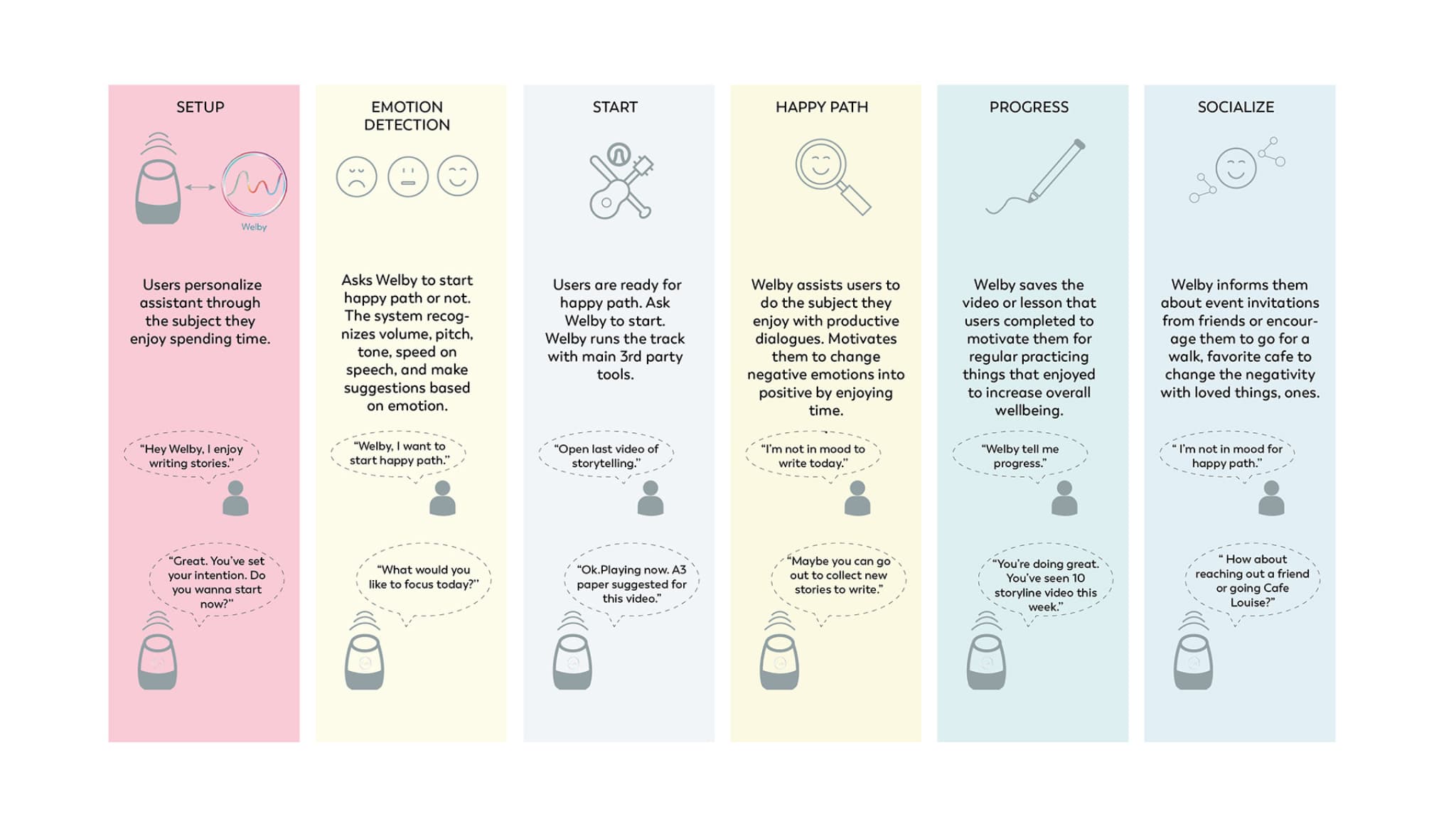
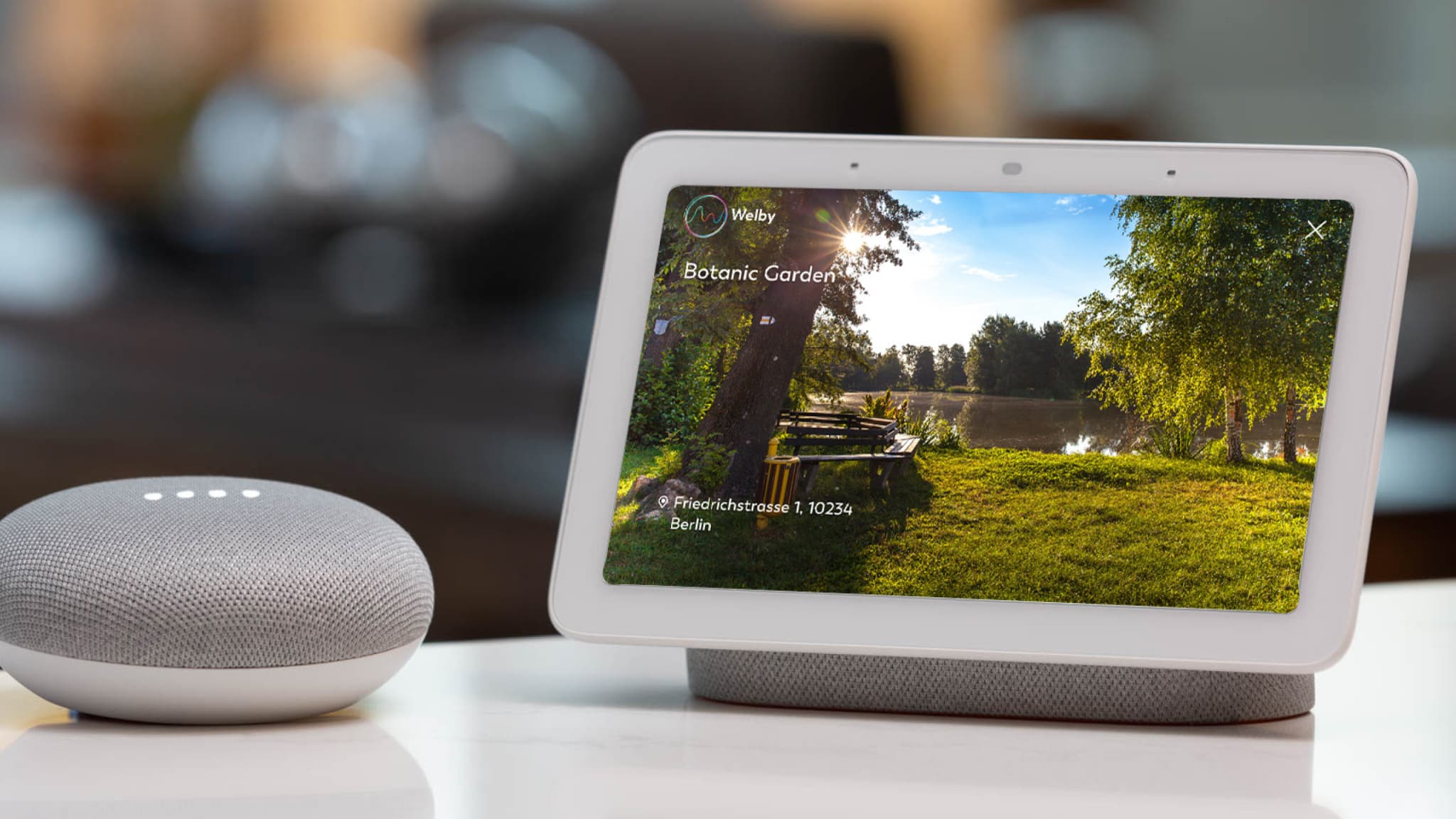
The project aimed to explore how to adapt the classic design thinking process to create voice user interfaces (VUIs). My focus was on designing emotionally intelligent responses for these interfaces. To test my prototypes, I worked with Google and Amazon voice technologies.The goal of Welby, an emotionally intelligent voice assistant, is to offer personalized daily coaching and help users transform negative emotions into positive ones when they're feeling stressed, tired, angry, or sad. By fostering emotional conversations, Welby aims to build long-term engagement with users and create a supportive, motivating experience.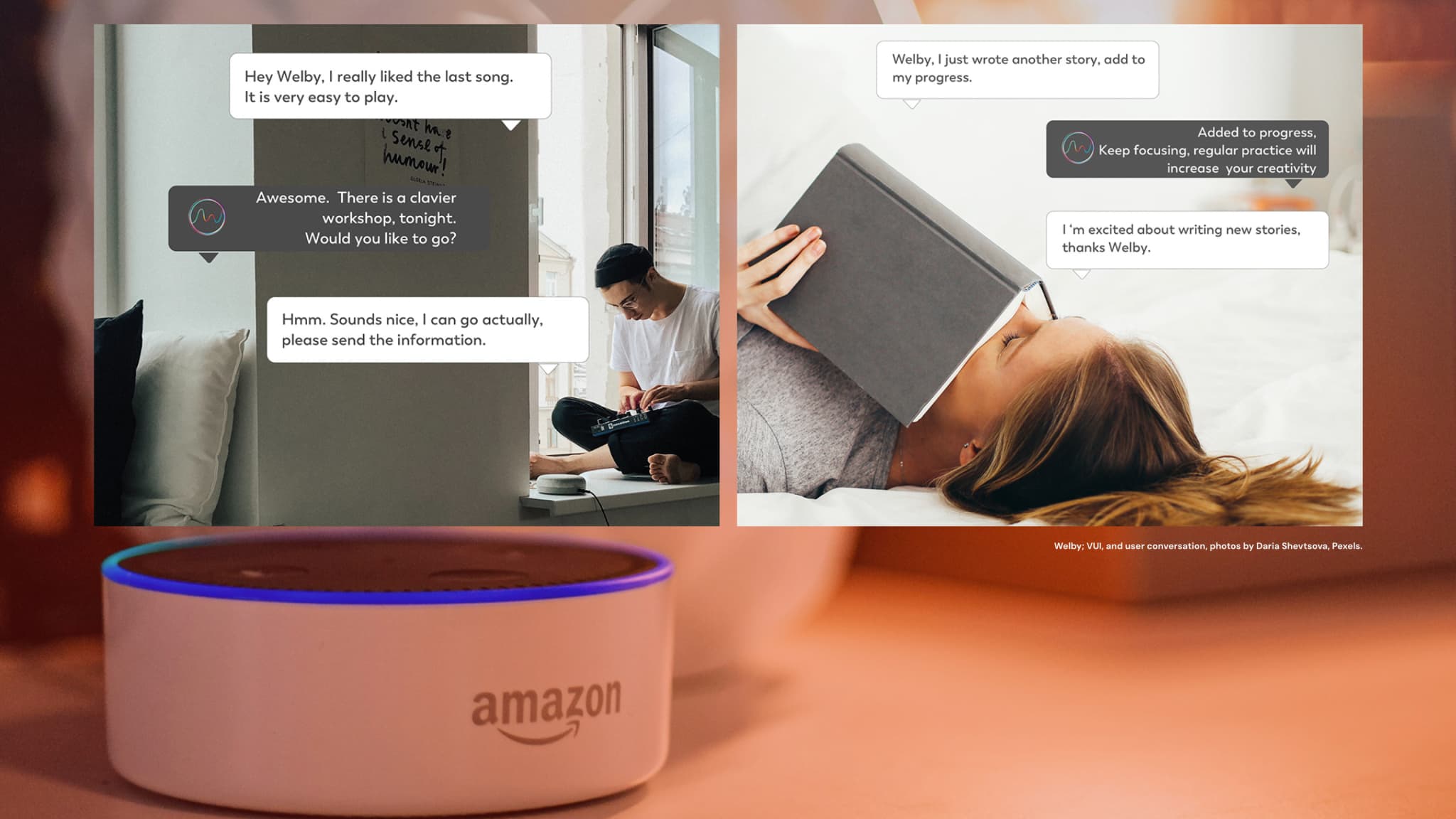
Hypothesis
The aim of the project is to explore how current voice user interfaces can adopt human-like emotional qualities, particularly in emotional experiences. The focus is on creating conversations that foster sustainable relationships and promote positive well-being.Product-Design Process
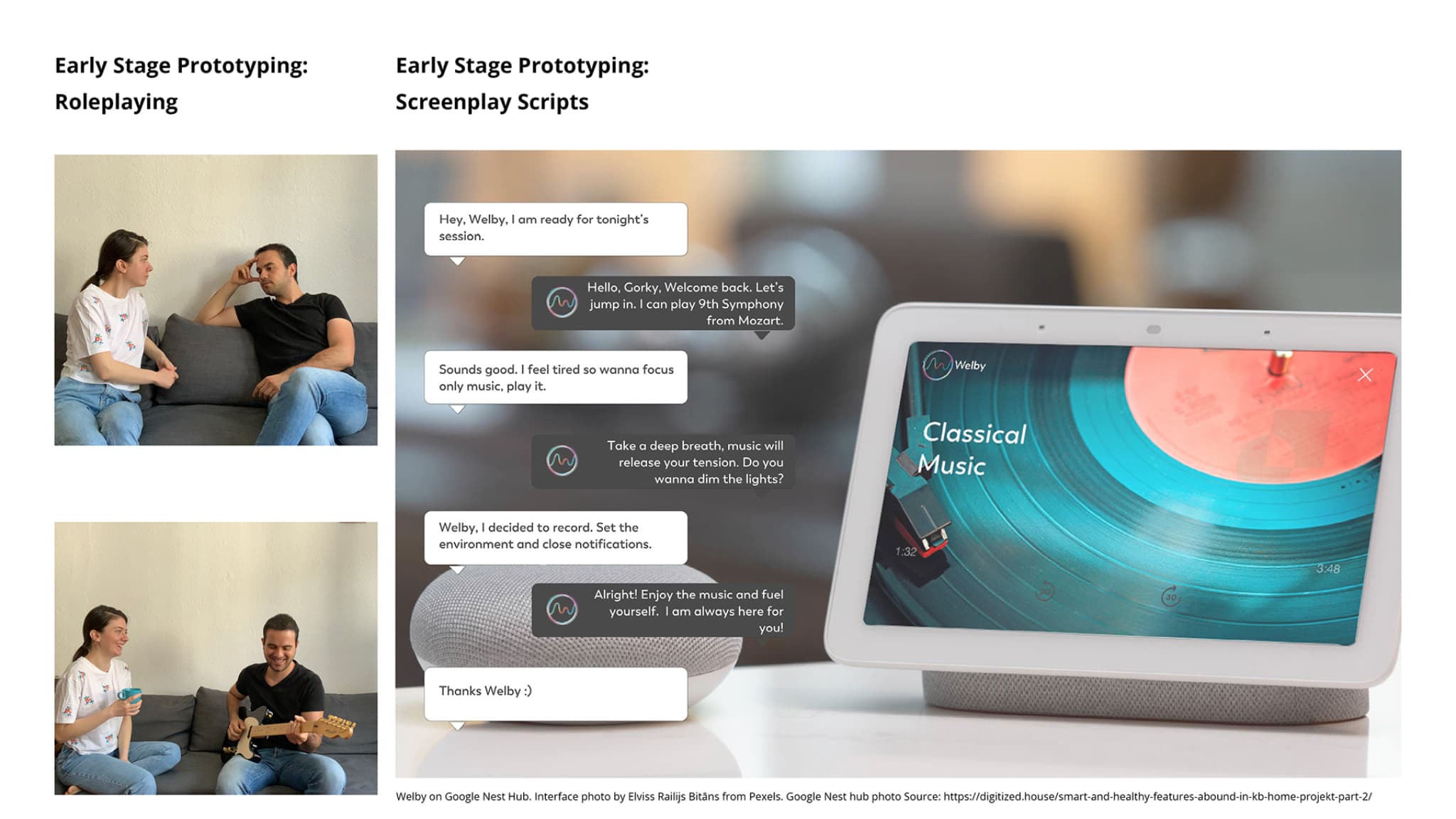
I adapted the classic Double Diamond model by incorporating methods from voice user interface design, positive psychology, and emotional design. These approaches were essential in developing functional prototypes for user testing. Writing sample dialogues, role-playing sessions with users, and Wizard of Oz tests played a significant role in shaping the research outcomes. Ultimately, I discovered that the Double Diamond model is flexible and can be adjusted effectively, as long as the research purpose is clear and supported by thorough user research.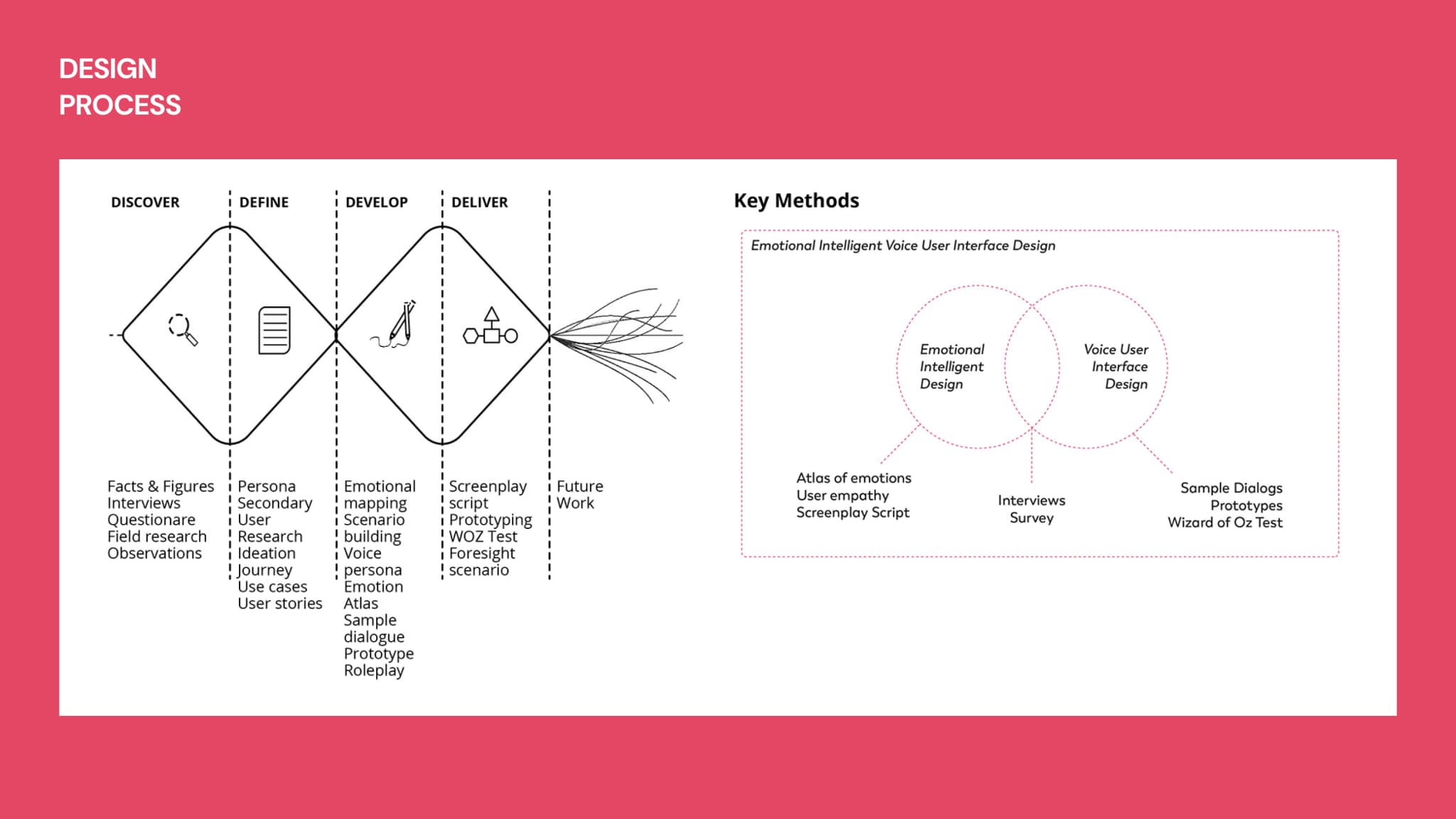
The Challenge
The central challenge was finding a way to create a shared perspective between users and VUIs to reduce frustration and address pain points. Over four months, I developed a functional prototype using Google's Dialogflow. I conducted Wizard of Oz testing with voice recordings to gather feedback and refine the prompts. This process revealed user preferences and demonstrated how emotionally intelligent voice services can enhance everyday life.User Research
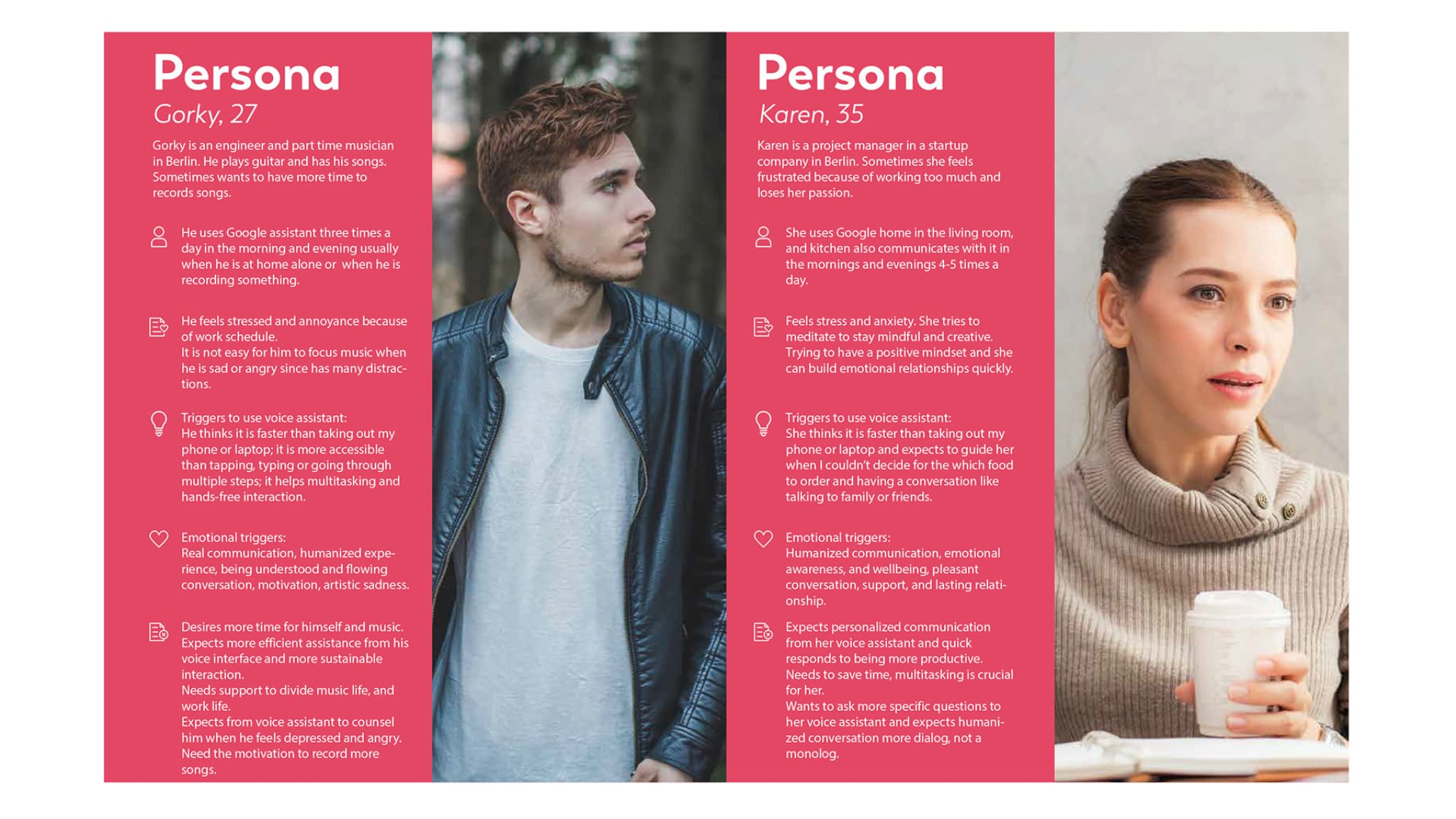
During the user research phase of the project, I used a mix of quantitative and qualitative methods to gather insights into the needs, pain points, and emotional expectations of frequent users. The goal was to gain a deeper understanding of their challenges and desires. Through field research and reports from various companies, I uncovered valuable findings that informed the direction of the project.•Desire 1:
"I want to use them as a real assistant to handle tasks like making reservations, scheduling meetings, and sharing my schedule with others."•Desire 2:
"I want my voice assistant to provide support and guidance when I'm feeling upset."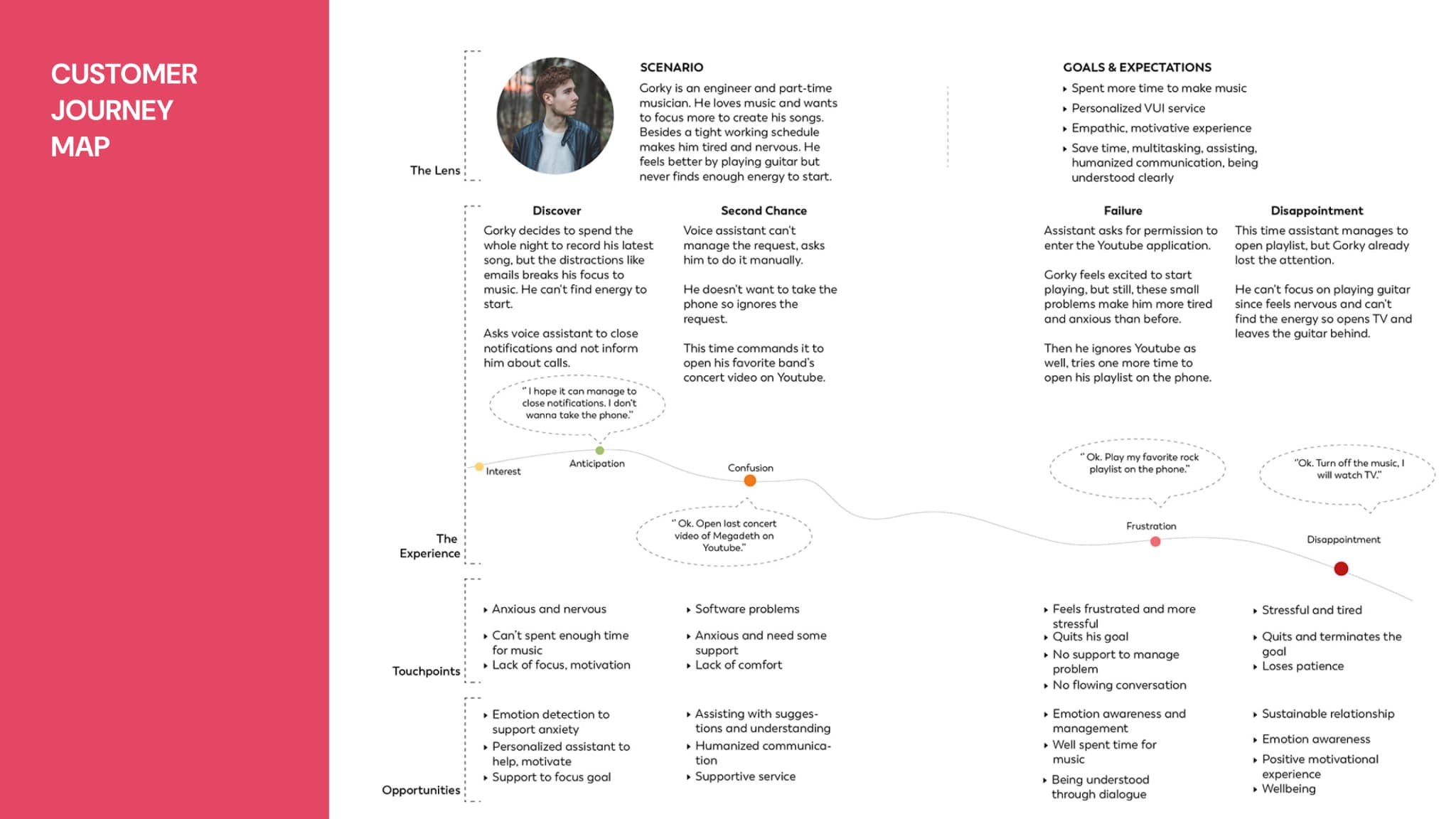
Customer Journey Maps & User Stories
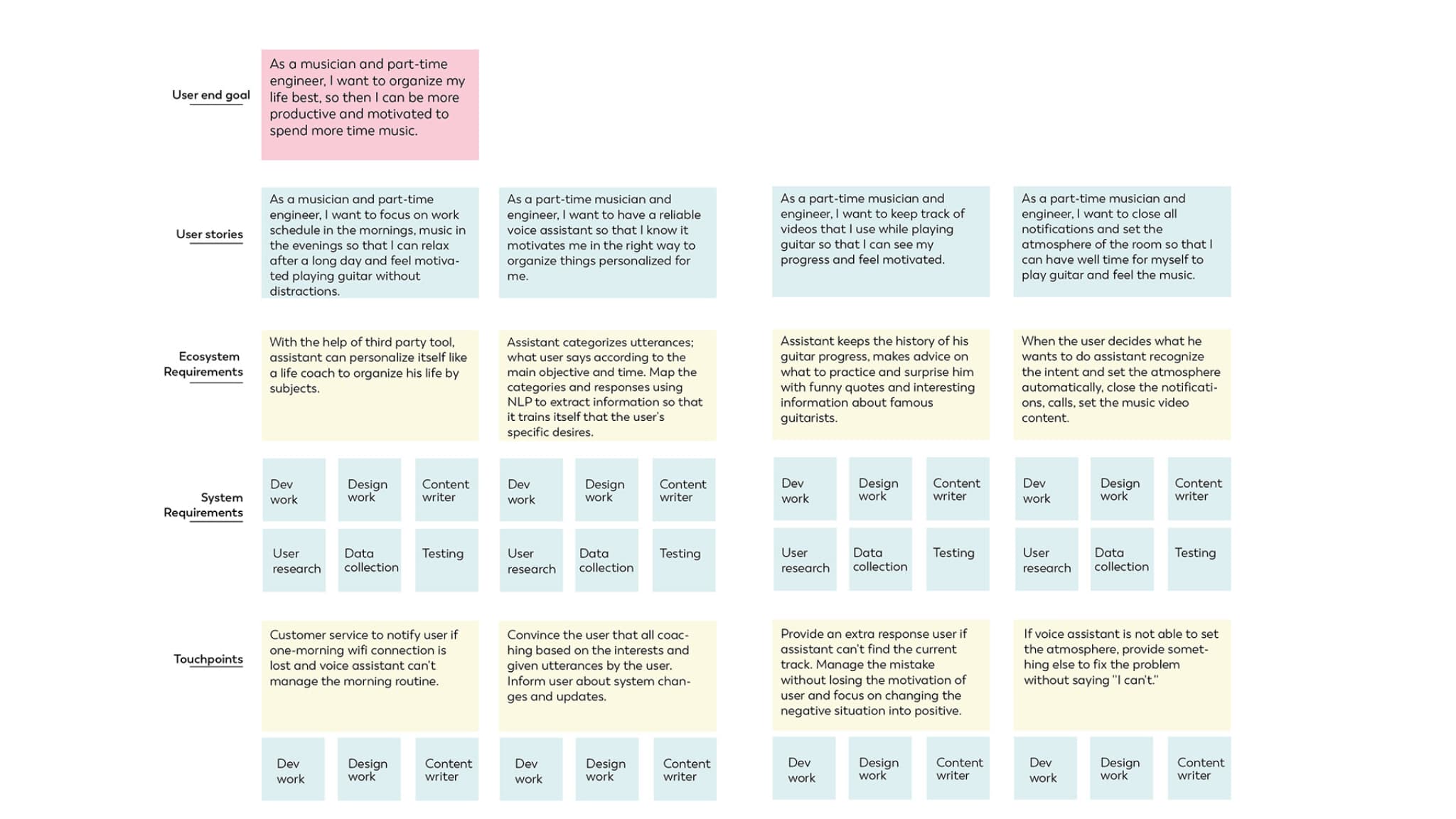
Using insights from user interviews and field observations, user journeys were created to map out key touchpoints and emotional experiences. These journeys helped identify problems and uncover opportunities for improvement and new use cases. By visualizing the user experience, they provided a clear understanding of how people interact with current voice interfaces and what they expect from this communication.User stories and journeys were instrumental in highlighting pain points and guiding the development of functional requirements. Additionally, journey maps captured the emotional state of users during interactions, showing the highs and lows of their experience. This emotional arc revealed areas that needed refinement and clarified user desires at specific points in the journey.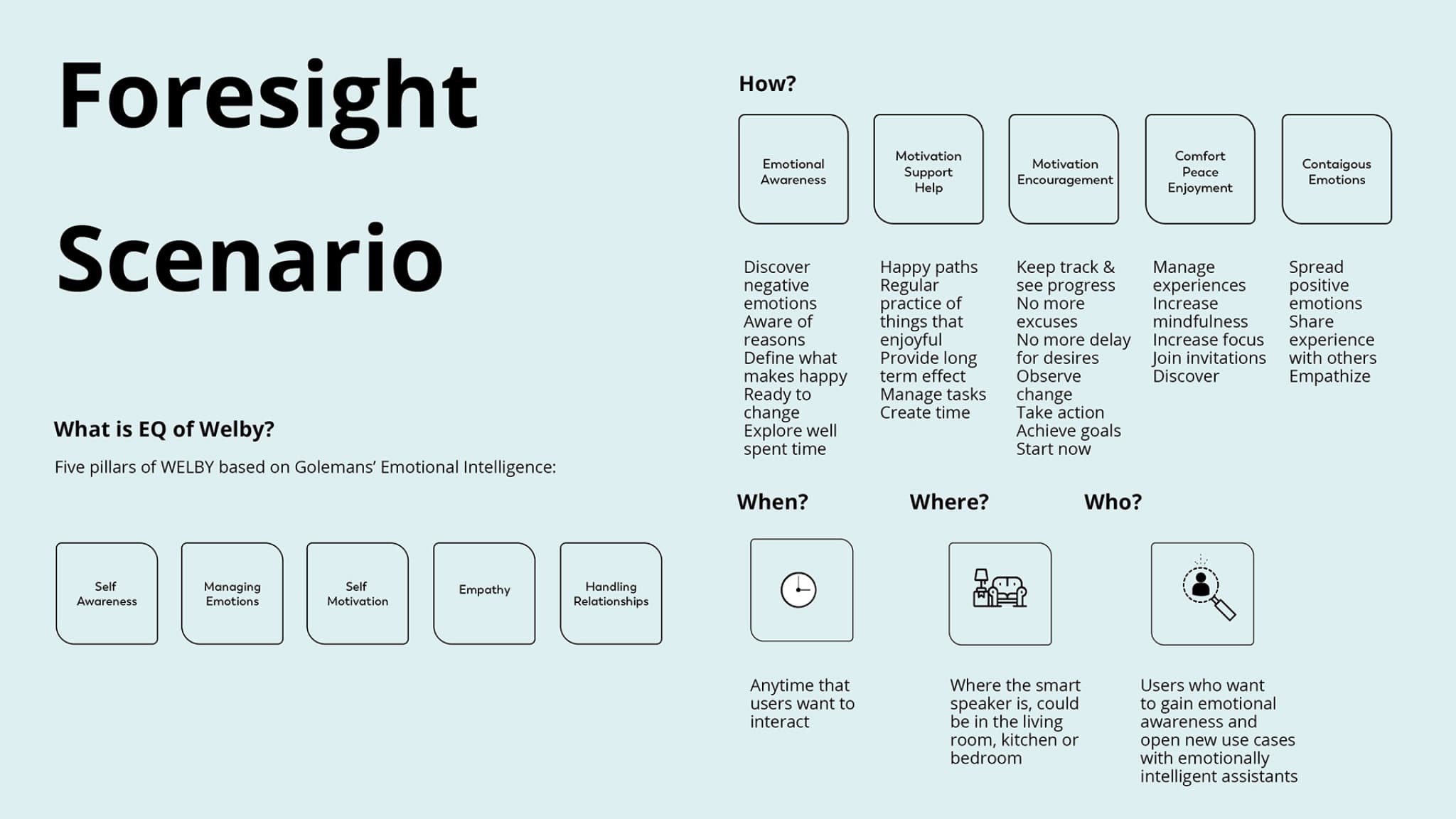
Usability Tests, Collected Data & Findings
•Wizard of Oz Test
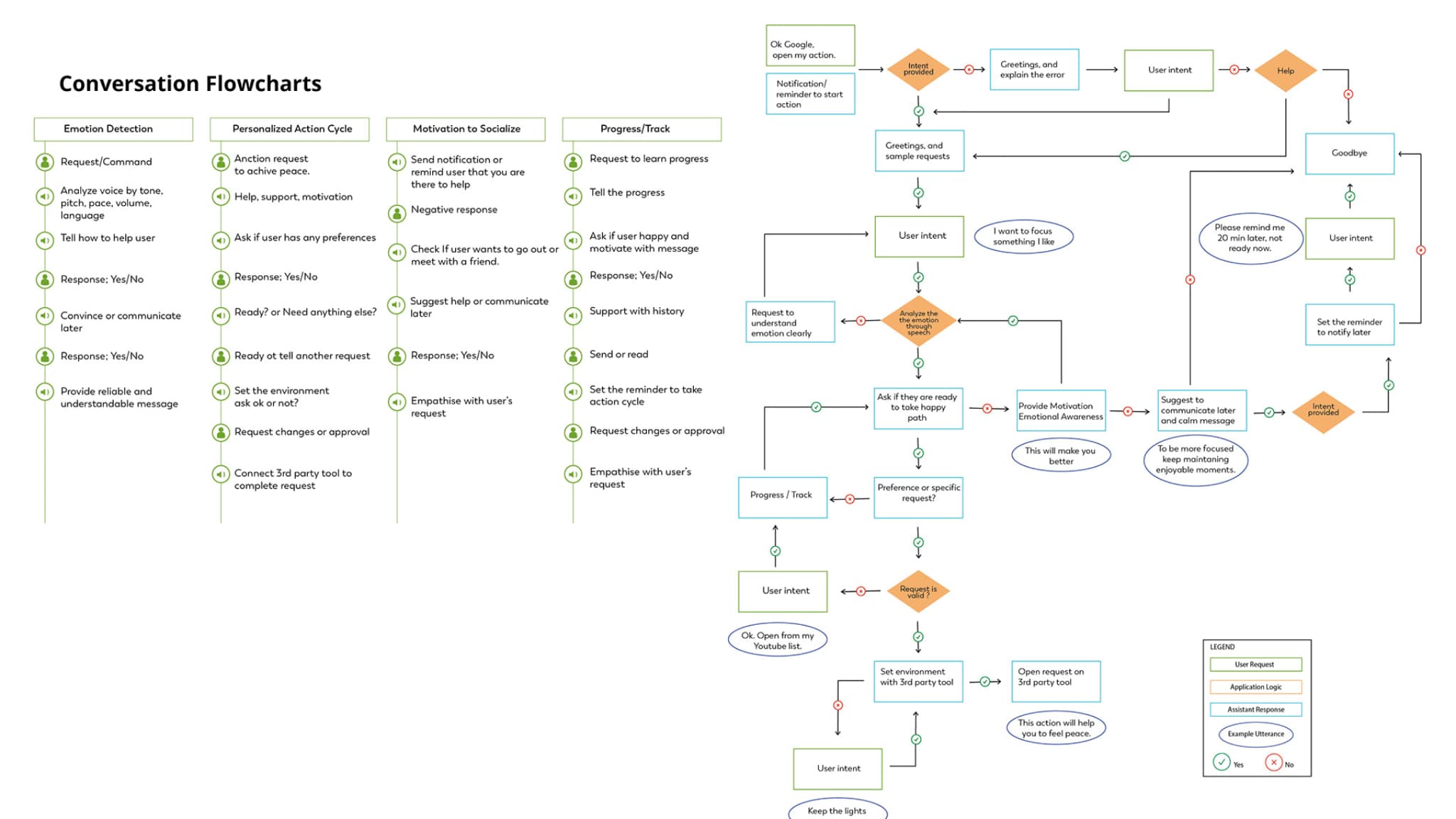
During the prototyping phase for screenplay scripts, "Say Wizard" and "Apple Sound" were used to quickly test and implement ideas. These two prototyping tools were simple yet effective for achieving fast results. Welby's prompts were initially written and then refined based on feedback from each test. I acted as the "wizard" to control the prototype, simulating the assistant's responses. Additionally, hearing the same responses delivered in different voices proved valuable for comparing the emotional reactions of both the assistant and the users.•Prototype with Dialogflow of Google
Based on the findings from the Wizard of Oz (WOZ) testing with early-stage prototypes, significant changes were made to the scripts and prompts. The final prototype was developed using Google's Dialogflow, a service integrated with Google Assistant. This integration allowed for more natural interactions with the assistant. The assistant could process requests using speech-to-text and natural language processing (NLP) technologies.To test the prototype, I defined three main foresight scenarios and engaged multiple users. I trained the assistant by anticipating potential user inputs and refining the machine learning model to better match user requests. Technical stakeholders provided guidance on best practices and how to train the assistant effectively.However, the prototype had notable limitations. It lacked an emotional tone in its voice, and it struggled to interpret emotions through speech. This limitation stemmed from the restricted set of specific words provided in the scripts. Moving forward, I plan to seek funding to train the tool with a broader vocabulary and test it again using current AI technologies, aiming to enhance its emotional intelligence capabilities.•Users feedback:
-> _"It's a technology that helps me understand and navigate my emotional state."_-> _"Welby can offer motivational suggestions to help me feel better and lift my mood. It's like a blend of a supportive friend and a caring mother."_